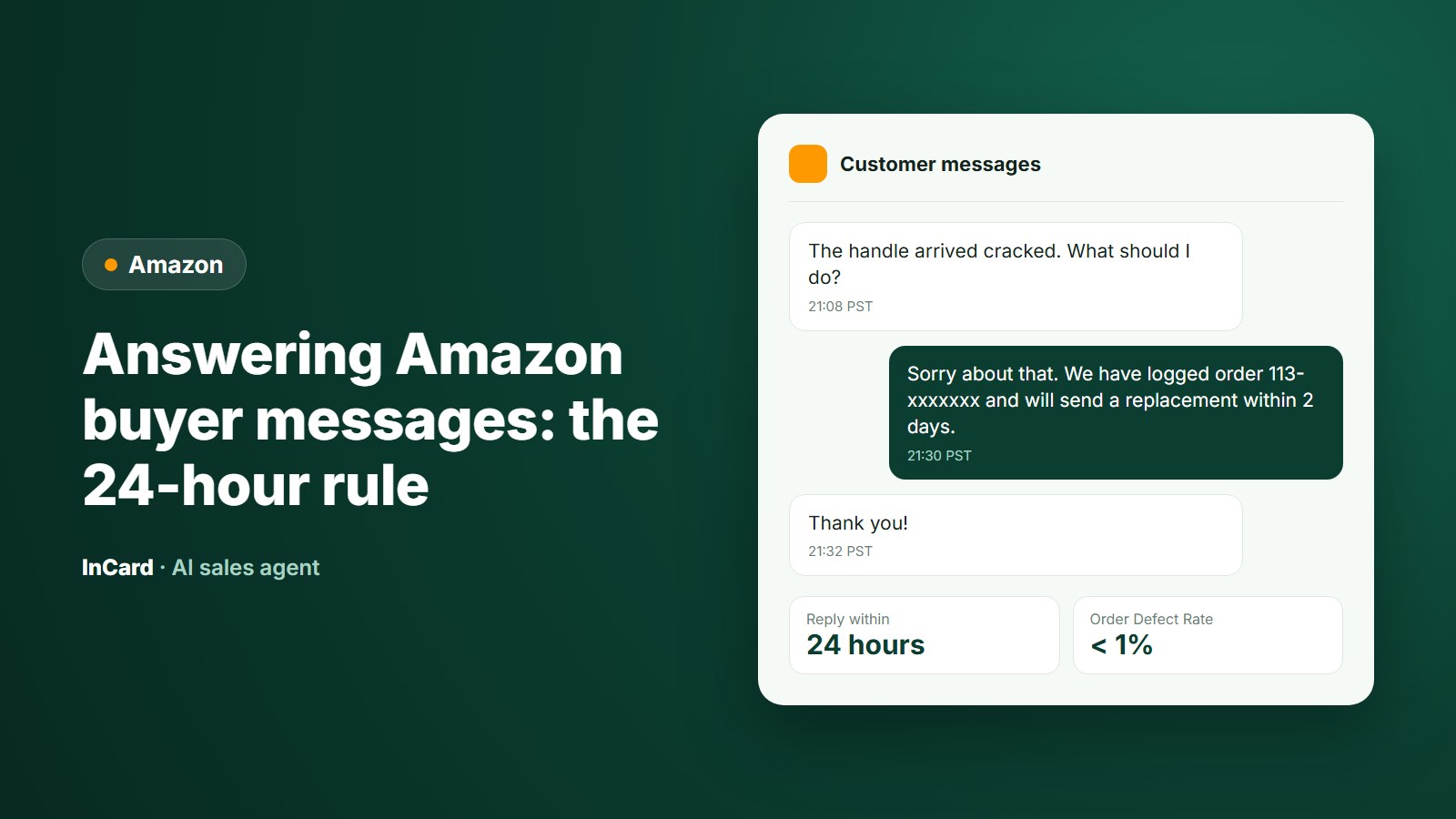
Answering customer messages on Amazon happens through Buyer-Seller Messaging in Seller Central, and the basic rule is simple: sellers should reply to buyer messages within 24 hours, including weekends and holidays, and an auto-responder does not count as a reply. What a seller may write is tightly limited too: no outside links, no marketing, no asking for positive reviews. For sellers whose team works in a different time zone from their buyers, such as a team in Asia selling to customers in the US, the hard part is not writing the answer but keeping the 24-hour rhythm when buyers write in the middle of the team’s night.
Key takeaways:
- Reply within 24 hours, weekends and holidays included. If the problem is not solved yet, still reply to confirm you have it and say when the buyer will hear back.
- Amazon does not count an auto-responder as a valid reply.
- Do not send outside links, marketing, coupons or requests for positive reviews. Breaking the guidelines can restrict a seller to Amazon’s message templates or suspend selling privileges.
- Amazon describes the average contact response time in Feedback Manager as educational only, with no effect on account health. The “90%” target often quoted online is not in Amazon’s documentation.
- Amazon treats sharing Seller Central credentials as a policy violation. Its Messaging API only sends seller-initiated messages and cannot be used to reply to buyers.
The 24-hour rule: what Amazon expects
Amazon’s Seller Central help on Buyer-Seller Messaging asks sellers to respond to buyer messages within 24 hours, and the rule applies at weekends and on holidays. Three details are often misunderstood:
- Auto-responders do not count. An automatic “Thanks, we will get back to you soon” is not a valid response in Amazon’s terms.
- No answer yet still needs a reply. If the issue needs more time, for example while the warehouse checks a batch, reply within 24 hours to confirm you have the message and tell the buyer when they will have an answer.
- Messages that need no reply. Each message on the Buyer-Seller Messages page has a “No response needed” option for messages such as a simple thank-you. Using it on a real question is risky, because the buyer gets no answer and may escalate to a claim.
Contact response time: which number is real
Many articles describe a Contact Response Time metric with a target of “90% of messages answered within 24 hours”. That target does not appear in Amazon’s official documentation; some software vendors say 90%, others 95%. What Amazon has confirmed is that Feedback Manager shows average contact response time for seller-fulfilled orders, alongside preventable contacts and buyer dissatisfaction rate over a rolling four weeks, and that these insights are educational only and do not affect account health.
That does not make slow replies harmless. The damage arrives another way: a buyer who gets no answer leaves negative feedback or opens an A-to-z Guarantee claim, and both count towards the Order Defect Rate, together with credit card chargebacks. Amazon’s target for that rate is under 1% over 60 days; above it, selling privileges may be restricted. Solving the buyer’s problem before they open a claim is the most effective way to protect the metric.
What you can and cannot send to buyers
Amazon’s communication guidelines limit both who a seller may message and what the message may say. Sellers may contact buyers who have contacted them or bought from them, and only with content needed to complete the order or answer a customer service question. Proactive messages go through the templates on the Contact buyer and Request a review pages.
| You may contact buyers about | Do not send |
|---|---|
| A problem with the order, such as an item out of stock or a late delivery | Messages only to say thank you, marketing, coupons |
| Information you need to complete the order | Links outside Amazon (other than secure https links needed for the order), logos linking to your website, opt-out links |
| Returns and invoices | Email addresses and phone numbers (other than warranty, carrier or manufacturer numbers), tracking pixels |
| One request for a review or seller feedback per order | Asking for a positive review, offering incentives for reviews, asking only happy buyers, asking buyers to change or remove a review |
| Scheduling delivery of bulky items, confirming custom designs | Emojis, animated GIFs |
Amazon can block any message, and sellers who break the guidelines can be limited to Amazon’s message templates or have their selling privileges suspended. Rules differ in detail between marketplaces, so a seller active in the US, UK and Australia should read the guidelines in each Seller Central.
For sellers used to selling on Facebook, WhatsApp or other chat apps, this is the biggest change. Habits such as “leave your number so we can advise you” or “thanks for your order, here is a discount code for next time” are violations on Amazon.
What Amazon’s own AI does for messages
Seller Assistant is Amazon’s AI assistant for sellers, which began as Project Amelia and gained agentic capabilities announced on 17 September 2025 at Amazon Accelerate: it can reason, plan and act with the seller’s permission. It helps with inventory, account health, compliance and growth planning; on customer service, it flags metrics approaching warning thresholds. The agentic version is available to US sellers at no extra cost, with other countries described as coming later.
At the time of writing, Amazon has not announced an official feature that writes or sends replies to buyer messages. Answering buyers remains the seller’s job.
Using outside tools: take the right route
Amazon gives third-party software two ways in. Apps authorised through the Selling Partner API can hold roles such as Buyer Communication, which allows the Messaging API, and Buyer Solicitation, which allows review requests. But the Messaging API only sends message types the seller starts, such as confirming order details, reporting an unexpected problem, or sending an invoice or warranty information. Amazon’s documentation states it cannot be used to respond to messages from buyers. Replies to buyers are written in Seller Central, by the seller or by people the seller adds through User Permissions.
On access, Amazon’s developer documentation states that sharing any credentials is a policy violation and that the approved route is for the seller to authorise an app through Login with Amazon. Amazon moderators on the Seller Forums give the same advice: do not share your password; add outside help through User Permissions.
That leads to three questions to ask before any tool touches your Amazon messages:
- Does the tool connect as an app you authorise, or through a user account you add and control, or does it ask for your password? Asking for your password is the signal to stop.
- Is every outgoing message checked against the communication guidelines: no outside links, no phone numbers, no requests for positive reviews?
- How long is buyer data kept, and how is it encrypted? Amazon’s data protection policy sets retention limits on personal data and requires encryption.
A process to hold 24 hours from another time zone
The US is 11 to 14 hours behind Vietnam, depending on the time zone and season, and the gap is similar for much of Asia. Buyers’ busiest messaging hours then fall in the team’s late night and early morning. The five steps below are built for that situation, and they work for any team that does not share its buyers’ working day.
Step 1: Sort messages by type. What to do: go through the last 30 days of messages and sort them into pre-purchase questions, order status, defects and returns, and messages that need no reply. Expected result: you know which group is largest and which one leads to claims. Common mistake: answering in arrival order, so defect reports wait behind simple questions.
Step 2: Write compliant reply templates. What to do: draft a reply for each group with fields for the order number, expected delivery date and return steps; check every sentence against the “do not send” column above. Expected result: whoever is on duty answers in the same voice and without violations. Common mistake: putting your own website link or a five-star review request into a template.
Step 3: Schedule checks around your buyers’ clock. What to do: set at least one inbox check early in your team’s morning and one at the end of its day, so no message sits for 24 hours across a night and a working day. Expected result: messages sent on a US evening are handled in your morning. Common mistake: checking only in office hours and leaving weekends empty.
Step 4: Acknowledge first, solve second. What to do: for messages that need checking, send an acknowledgement straight away with a time for the answer, then come back on time. Expected result: the buyer knows the shop is on it and is less likely to open an A-to-z claim. Common mistake: waiting until you have the full answer, by which time the buyer has already filed a claim.
Step 5: Watch the Order Defect Rate weekly. What to do: check Account Health, especially the Order Defect Rate, negative feedback and A-to-z claims; compare claims with message history. Expected result: you see which claims an early reply would have prevented. Common mistake: only looking after a warning arrives.
Where AI helps, and where InCard stands on Amazon
In this process, AI helps most clearly in steps 1 and 2: sorting messages, drafting English replies from the shop’s order data and policies, and checking each draft against the prohibited content list before it goes out. For messages that need a decision, such as refunds, compensation or disputes, a person must send the final reply.
On channels such as TikTok Shop, Shopee, Zalo and Facebook, InCard’s AI agent works inside the shop’s own account after the owner logs in through a remote browser session. Amazon is not one of the channels InCard runs on today; it is a direction under evaluation. Because Amazon tightly limits both what sellers may say to buyers and how outside tools may access an account, InCard will only work on Amazon in a way that fits Amazon’s rules on account access and communication, with a person approving replies and no marketing messages, and always after a trial on the seller’s real account. The channels that run officially today are listed on the AI sales agent page.
Frequently asked questions
Does Amazon require replies to buyer messages within 24 hours?
Amazon asks sellers to respond to buyer messages within 24 hours, including weekends and holidays. Average contact response time is described as educational only, but unanswered messages easily turn into negative feedback and A-to-z claims, both of which count towards the Order Defect Rate.
Is an auto-responder enough?
No. Amazon does not count an auto-responder as a valid response. Each question still needs a real reply, or at least an acknowledgement that says when the buyer will have an answer.
Is the 90% Contact Response Time target an Amazon rule?
That target does not appear in Amazon’s official documentation; different software vendors quote 90% or 95%. A better internal goal is to answer every message within 24 hours rather than aim for a percentage.
Can I ask buyers for a five-star review?
No. You may send one neutral request for a review or seller feedback per order, without suggesting a positive review, without incentives and without sending it only to satisfied buyers.
Can a tool reply to buyer messages through the Amazon API?
Not through the Messaging API, which Amazon documents as unable to respond to buyer messages; it only sends message types the seller starts. Replies to buyers are made in Seller Central, by the seller or by users the seller adds through User Permissions.
Should I give my Seller Central password to a messaging tool?
No. Amazon treats sharing credentials as a policy violation. Outside tools should connect as an app you authorise or through a user account you add and control.
Does InCard work on Amazon?
Not yet. Amazon is a direction InCard is evaluating, not a channel it runs on today. InCard will only work on Amazon in a way that fits Amazon’s policies, and will run a trial on the seller’s real account before committing.
Start from your own inbox
Before choosing any tool, do step 1: sort 30 days of messages by type and mark the ones that waited more than 24 hours. If late replies cluster at weekends and in your team’s night, the fix is the schedule; if they cluster on defect reports that need checking, the fix is acknowledging first. If you sell on Amazon alongside chat-based channels, InCard can talk you through bringing customers from the channels it runs on into one shared CRM, and assess the Amazon side separately on your real account. See the AI sales agent page for details.
Further reading: AI customer support chatbots and when a human must take over, AI customer service for chat and call centres, and AI chatbots for Shopify.
Tam Ho is the Founder of InCard, the agentic AI platform for small and mid-sized businesses in Vietnam. He works directly with operations teams to bring each chain of work onto the system, with a human keeping the checkpoint on the decisions that matter.