AI Sales Chatbot
A customer asks at ten at night.By morning sales has a meeting booked.
The chatbot answers strictly from the documents you supply, clarifies needs and budget, proposes meeting slots, then hands over to sales with the whole conversation attached — on web, Zalo, Messenger, WhatsApp and Telegram.
Four places orders slip away
You do not lose customers on the product.You lose them on a late reply.
People who want to buy usually ask the moment they think of it. The gap between the question and the answer is where the order slips away.
Out of hours
Questions arrive when nobody is on duty
Most messages arrive after hours and at weekends. Reply the next morning and the customer has already asked somewhere else.
While replying
Everyone advises differently
On the same question about price or terms, each salesperson answers differently — and nobody is sure which answer is right.
Before calling
No idea which lead to call first
The list is only names and numbers. Sales have to call everyone to find out who genuinely needs it and can afford it.
At closing
Booking and quoting are still manual
It takes several rounds of messages to agree a time, then a quote is written by hand for each person.
Four jobs the chatbot takes on
Not just answering.It sets the work up for sales.
What separates it from an ordinary FAQ chatbot: it records, books and hands over — instead of stopping at one reply.
Answers strictly from the documents you supply
Load in FAQs, product documentation, website URLs, price lists and terms. The agent answers within that scope and does not infer beyond it.
- Answers in Vietnamese or English as configured
- Guardrails limit what it may answer
- Questions outside scope go to a real person
Qualifies before handing over to sales
Asks the few questions that decide it — what they need, when, roughly what budget — then routes to the right owner.
- Records the need, the timing and the budget they state
- Routes by region, product group or sales team
- The handover threshold is set by your company, not by the bot
Books meetings and drafts quotes
Proposes slots from the connected calendar’s real availability, sends a booking link and reminds before the meeting. Quotes stop at draft.
- Proposes slots from a real calendar, not empty promises
- Automatic reminders before the meeting
- Orders and quotes always stay drafts awaiting approval
Writes to the CRM and reports
Every conversation leaves notes, a source channel and a status in the CRM — so sales know what happened before they arrive.
- Records notes, source, owner and stage
- Tags UTMs so you know which channel produces real customers
- Reports booking rate and handover rate
Boundaries
How far the chatbot goes.And where it stops.
The first worry everyone has is whether the bot will close something wrongly. So the boundaries are set at configuration time, not patched after it happens.
Things with a clear answer in the documents you approved.
- Answer questions within the loaded documents
- Ask follow-up questions about need and timing
- Propose meeting slots from real availability
- Write notes and source channel into the CRM
The bot prepares it; a person presses the final button.
- Quotes and orders — drafts only
- Discounts or prices outside the approved list
- Changes to terms, deadlines or commitments
- Closing contracts and taking payment
Beyond this scope the conversation goes to a real person.
- Answer anything not in the loaded documents
- Promise outcomes or make commitments beyond its authority
- Read data beyond the permissions granted
- Close orders or take money from customers by itself
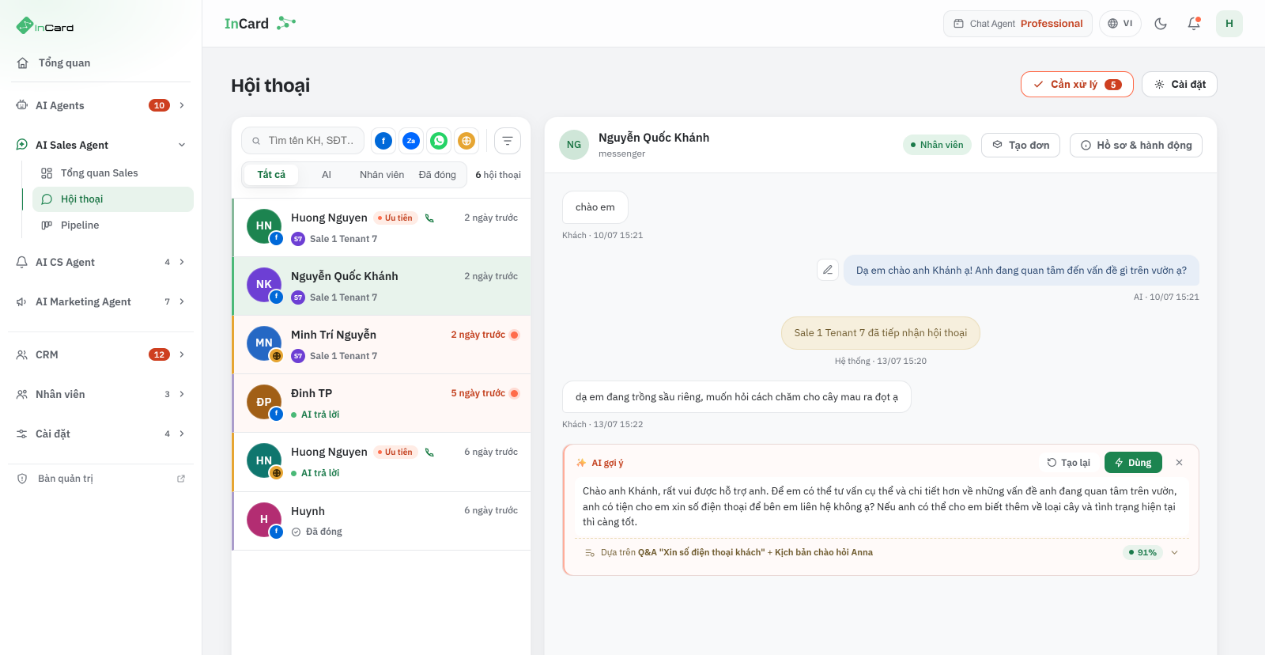
Everything leaves a trace
Sales can see what happened before they arrived.
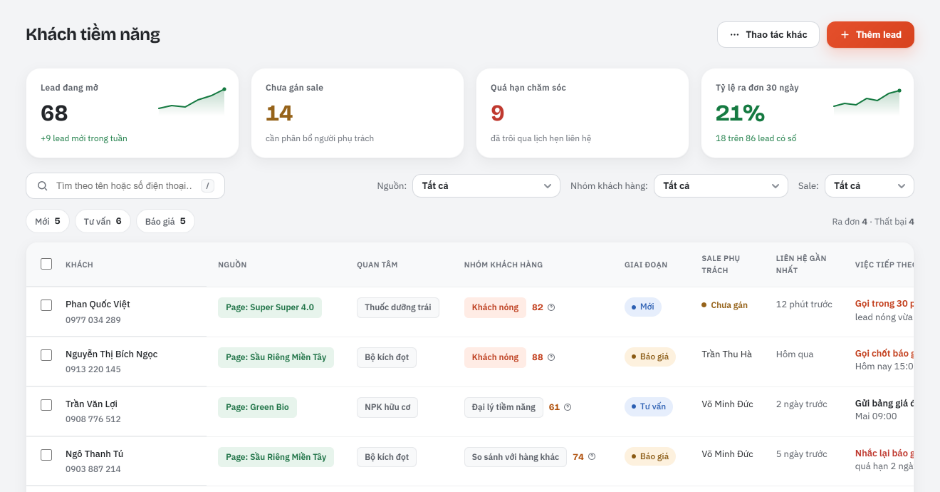
Every conversation leaves a status, a source channel and an owner. Leads nobody has taken, or that are overdue for follow-up, surface instead of sitting silently in an inbox.
Product screenshot with demo data — not a promise of results.
Industry scripts
The same chatbot.Scripts written for your industry.
The common questions, the criteria for handing over to sales and the quote templates all differ by industry — so the scripts are built per industry, not shared from one template.
Ecommerce and retail
- Answer product and returns-policy questions
- Suggest bundles based on what they say they need
- Create draft orders for staff to confirm
Education
- Advise on programmes and entry requirements
- Book advisory sessions or entrance tests
- Send the list of documents to prepare
Real estate
- Clarify purpose of purchase and financial capacity
- Book viewings against the sales team’s availability
- Hand over with the full conversation
Services and SaaS
- Introduce plans and trial conditions
- Draft proposals from approved plans
- Pass tickets to after-sales care
Channels and integrations
Answers where the customer messages.Records where sales works.
How deep each connection goes depends on the platform’s API and permissions, so each level is stated explicitly rather than listed as equal.
Conversation channels
- Web chatPublic API available
- Zalo OAPublic API available
- Messenger / Instagram DMNeeds assessment
- WhatsAppPublic API available
- TelegramNeeds assessment
- EmailPublic API available
CRM
- HubSpotPublic API available
- ZohoPublic API available
- OdooNeeds assessment
- SalesforceOn the roadmap
Calendars and booking
- Google CalendarPublic API available
- CalendlyPublic API available
- Cal.comNeeds assessment
Orders and payment
- Draft orders in chatPublic API available
- Payment linksNeeds assessment
- Ecommerce APIsNeeds assessment
Product interface
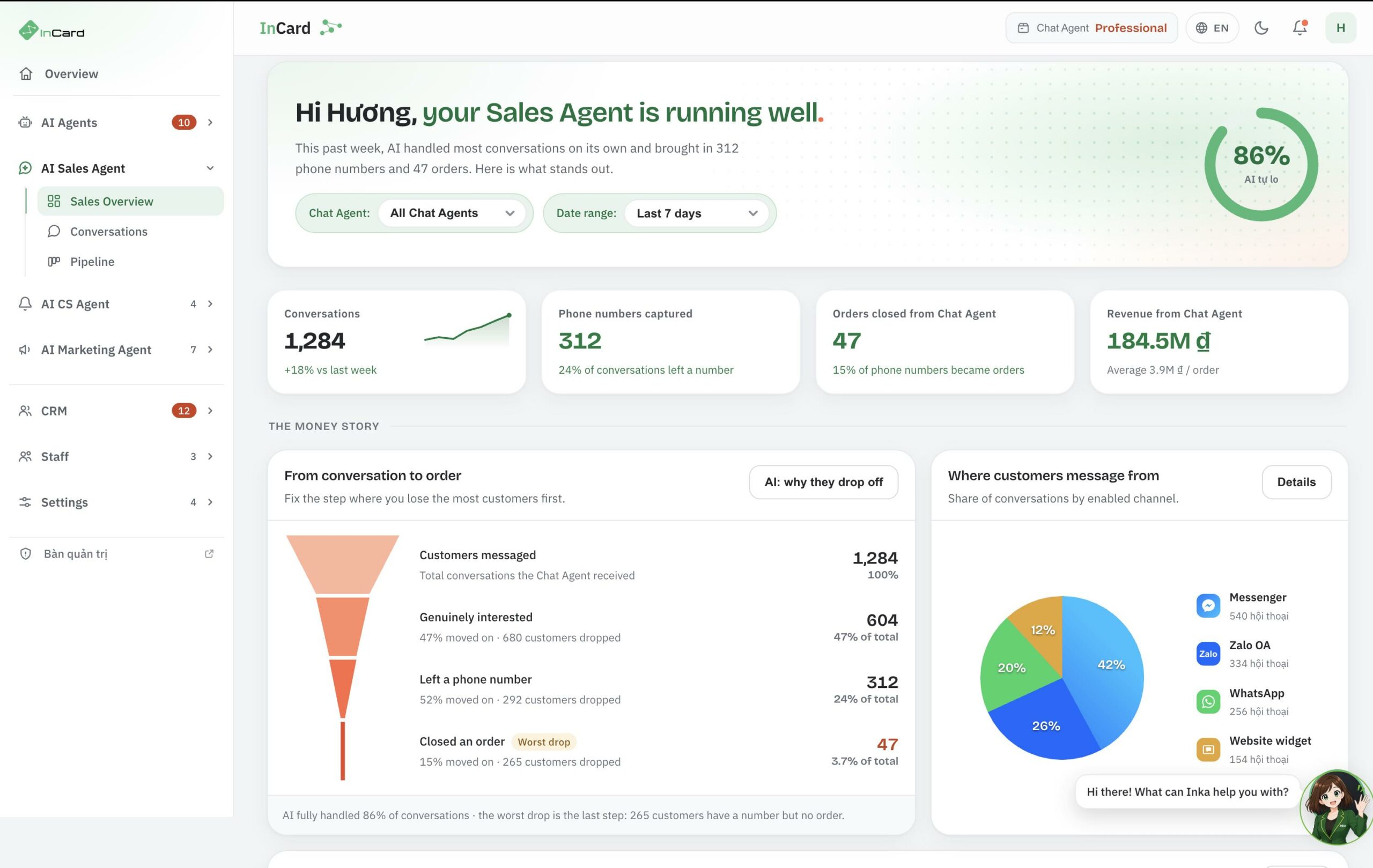
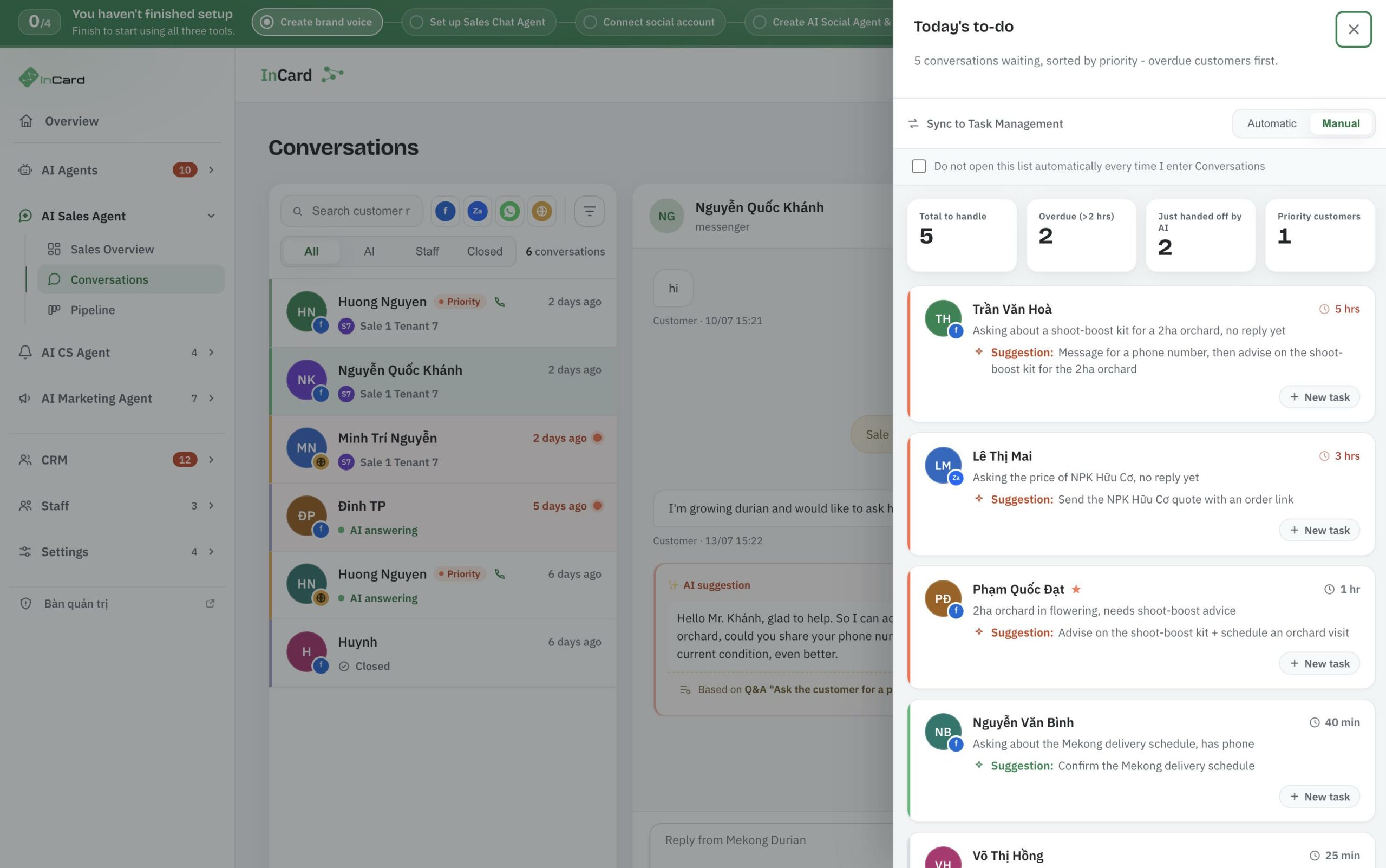
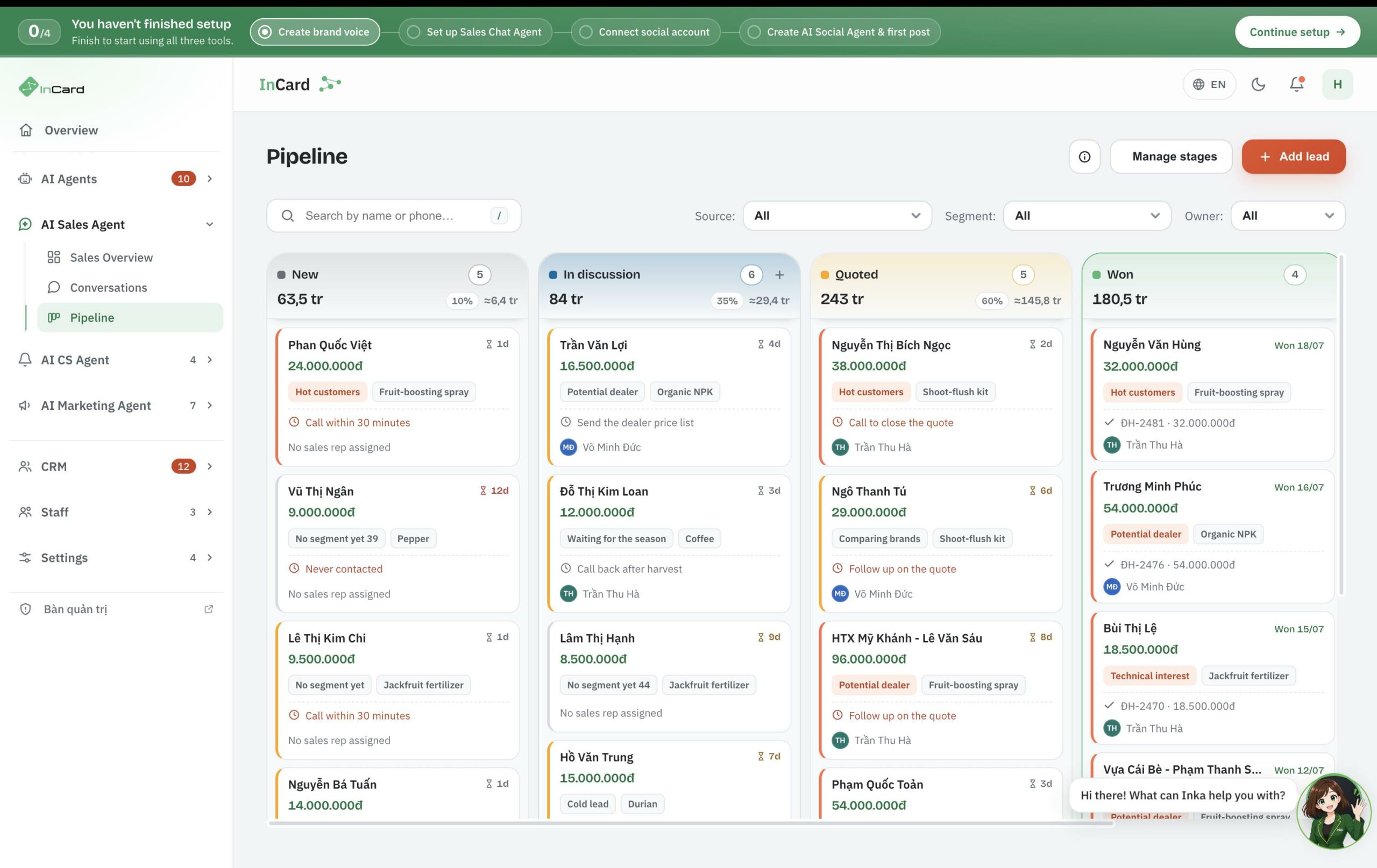
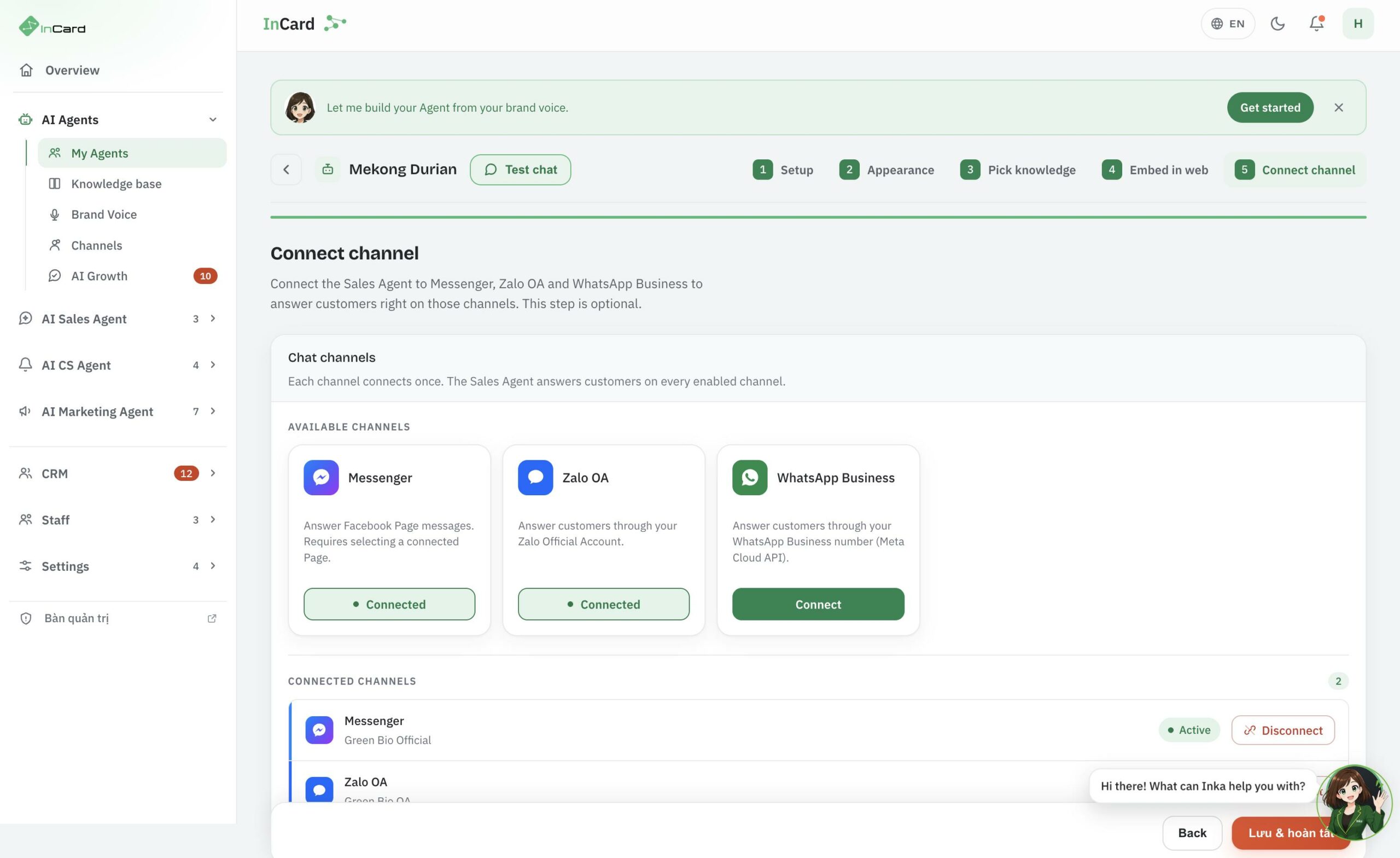
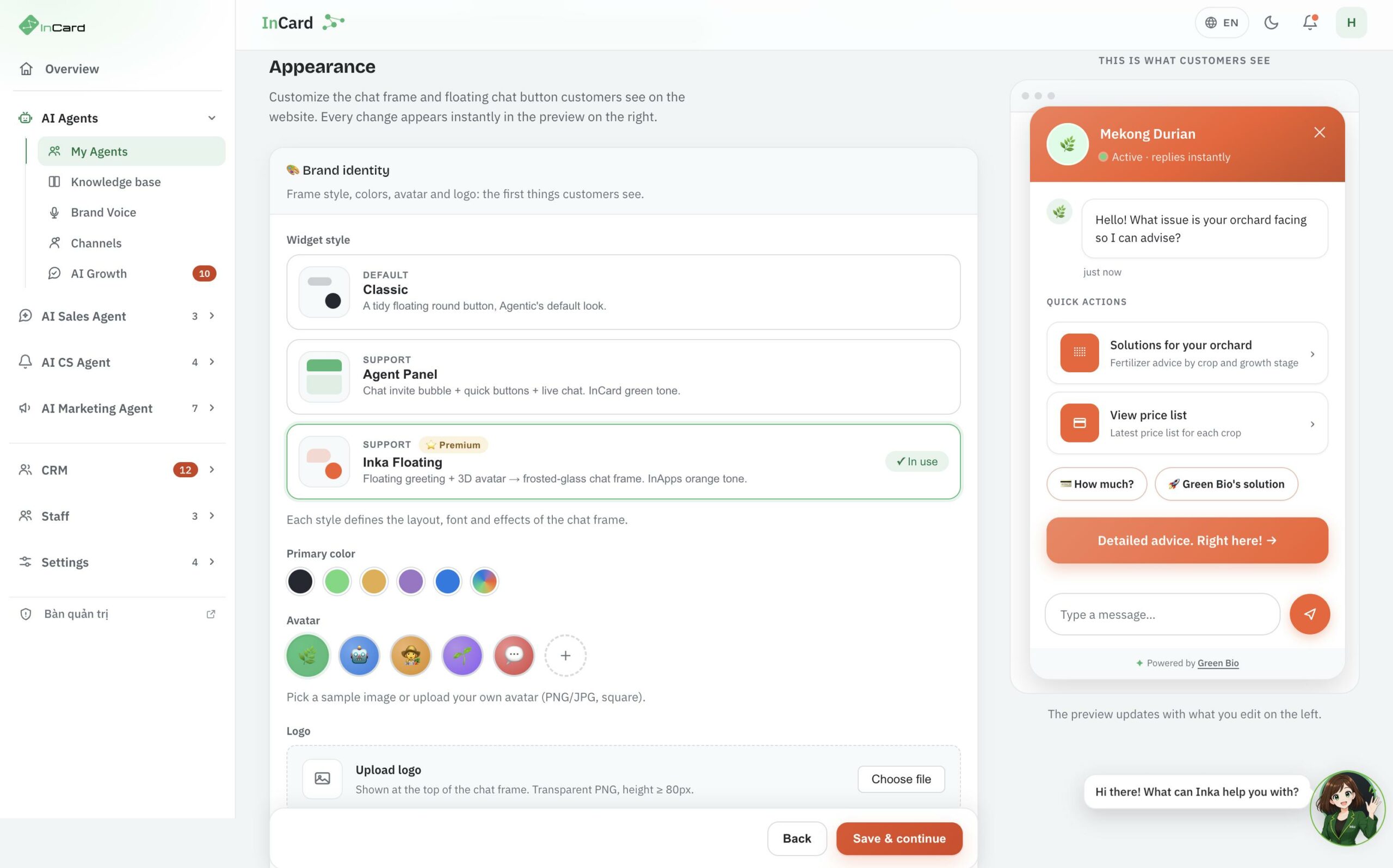
From conversation to order, visible on one screen.
The five main screens of the AI Sales Chatbot.
The product has both a Vietnamese and an English interface — the screenshots below are from the English one.
Frequently asked questions
Before you let the bot talk to your customers.
What sales teams usually want cleared up about how far automation goes, what data to prepare and how results are measured.
Next step
See the chatbot running on your own data.
A demo using your own documents and sales scripts, so you can see how far the bot answers and where it stops.
-
An ordinary chatbot stops at the reply. This one also books against real availability, drafts quotes, writes to the CRM and hands over to sales with the whole conversation — so sales do not have to ask the customer everything again.
The difference is what it leaves for sales, not just what it answers. -
No. Quotes and orders stop at draft; discounts outside the list, changes to terms, contracts and payment all need a person to confirm. The "Boundaries" section above lists exactly what the bot does itself, what needs approval and what it will not do.
The bot drafts — a person presses the final button. -
You can still start with the FAQs, documents and website URLs you have and fill the gaps over time. What matters more is setting the rule up front: anything outside scope goes to a real person rather than being guessed at.
-
Yes. The qualifying questions, routing rules and quote templates are built per industry and per team. The "Industry scripts" section above shows four common examples.
-
The share of conversations that lead to a meeting, the share handed over to a person, first response time, and which channels produce real customers — comparable by channel and by campaign thanks to UTM tagging.
-
As a reference, 5–15 days for one channel, depending on channel count and the quality of the documentation you have. Open one channel first, trial it in a sandbox, then open the rest.