
AI HOSPITALITY AGENT
An answer in seconds. Keep them through the whole stay.
AI agents advise on room types, check availability, help hold a room and look after guests throughout the stay — consistently across the website, Zalo, Messenger and Facebook.
Before booking
Advice and holding a room
During the stay
Concierge and requests
After check-out
Reviews and return visits
AI Booking AdvisorRunning
Hand over to reception
I need a room for two, three nights this weekend, preferably sea view, around three million a night.
I have checked availability for your dates. Here are two suitable room types:
Ocean Deluxe
2,850,000đ per night
2 rooms left
Garden Suite
2,400,000đ per night
5 rooms left
Compare the two room types
Giữ Ocean Deluxe
Ask about a room or a service…
Room hold being created
3 nights
Ocean Deluxe
8.550.000đ
Available for the dates chosenHeld for 30 minutes
Information gathered
- Guests
- 2 adults
- Dates
- 12–15/09
- Preference
- Sea view
Send the room-hold payment link
Room availability checkedPMS · 2 seconds ago
GIAO DIỆN MINH HOẠ
Revenue is not only lost at the front desk.
It leaks away before the booking is even made.
Guests can drift off while researching, when they ask on a second channel, when they need help during the stay, or after check-out — simply because nobody answered in time.
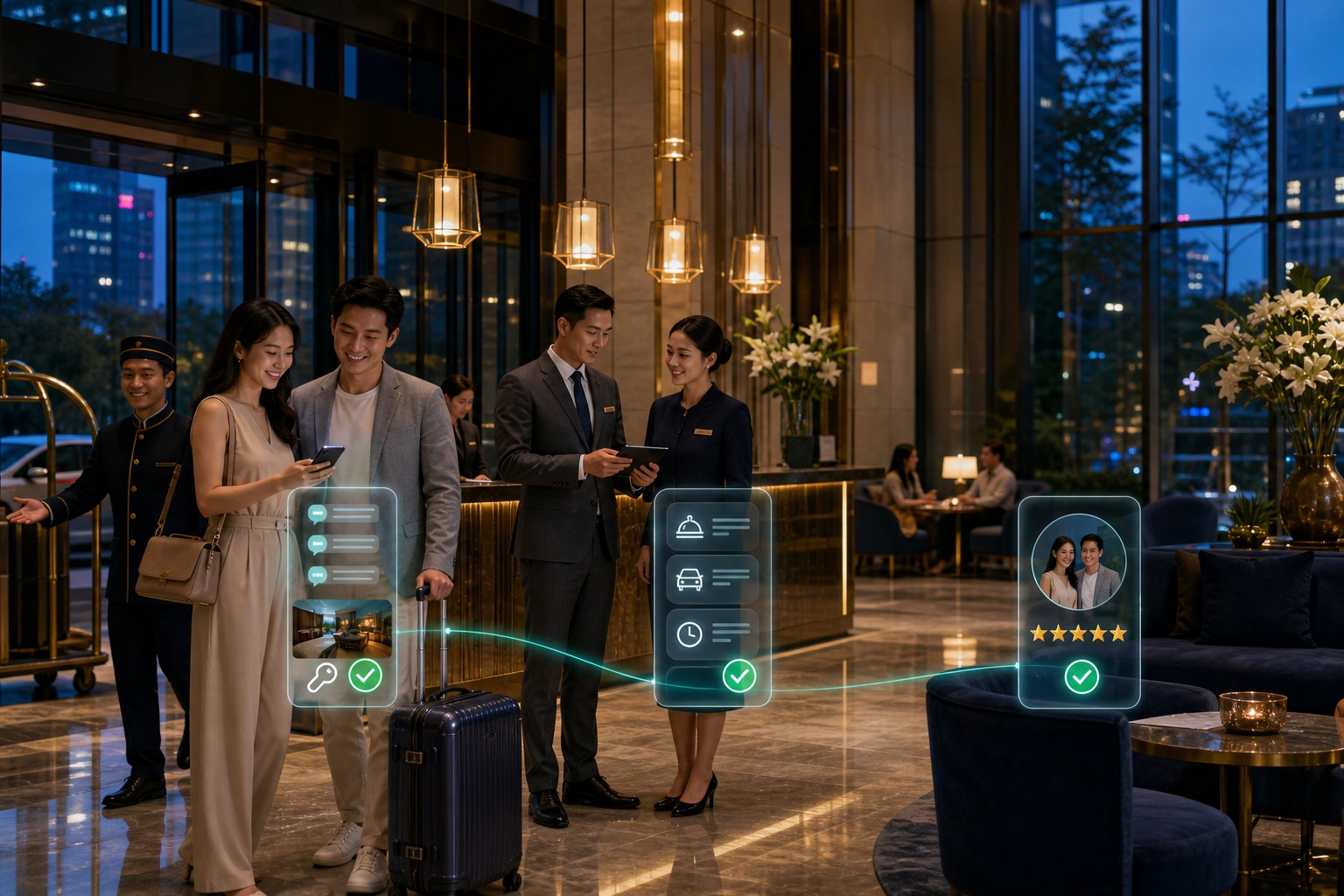
An illustrative guest journey
01 / 04
The moment a guest needs a definite answer
Before they open an OTA tab to compare prices.
02 / 04
The moment each channel answers differently
When a guest asks the same question in two places.
03 / 04
The moment a guest needs help and nobody is free
Exactly when the desk is busiest, or the shift has ended.
04 / 04
The moment that decides whether they come back
Right after check-out, while the impression is fresh.
01
Bottleneck · Before booking
Guests ask thoroughly, but the answer arrives too late.
Nightly rates, room types, which way it faces, breakfast, the cancellation policy — every guest asks differently. Half a day’s delay and they have booked elsewhere.
02
Bottleneck · Booking channels
One guest, three channels, three different answers.
A guest messages on Facebook, follows up on Zalo, then calls. A different person covers each, nobody sees the whole context — and most bookings end up on an OTA with commission attached.
03
Bottleneck · During the stay
Repetitive work eats the time that should go to guests.
Breakfast times, the wifi password, extra towels, directions, a taxi — the same familiar questions all day, interrupting reception mid-check-in with another guest.
04
Bottleneck · After check-out
Guests leave happy, and then nobody mentions them again.
Nobody asks how the stay was, nobody invites them back in the season they usually travel. Next time they start again on a price-comparison site.
Alongside the guest before they book.
Support continues after check-out.
The Hospitality Agent holds the same room data, policies and guest context across all three stages — so nobody has to explain themselves again at each touchpoint.
01 · Research and advice
Turn a social-media question into a clear booking request.
The agent gives the rate and availability for the exact dates asked, then gathers enough detail for itself or reception to close.
What the agent takes on
Hand over to reception
Ocean Deluxe
2,850,000đ per night
2 rooms left
Garden Suite
2,400,000đ per night
5 rooms left
Compare the two room types
Hold for 30 minutes
The context is kept
02 · Holding and payment
Close while the guest is still interested.
The agent holds the room within the limit the hotel permits, sends an approved payment link, and confirms the details before anything is written into the booking system.
What the agent takes on
Hand over to reception
Ocean Deluxe
8.550.000đ
On hold
Change room type
Resend the payment link
The context is kept
03 · Concierge and after-stay
Stay with the guest through the whole visit, and after check-out too.
The agent answers the familiar questions, routes requests to the right department, then asks about the stay and invites them back while the impression is good.
What the agent takes on
Hand over to reception
Housekeeping
Estimated 10 minutes
In progress
Book an airport transfer
Speak to reception
The context is kept
Context is not lost when the stage changes
The agent does not stand outside the front desk.
The agent works with the systems you already run.
From the room diary and distribution channels to payments, on-site services and the CRM — each connection states exactly what data is read, which actions are allowed, and which steps need approval.
System layers
01 · PMS and room diary
Read the real availability. Use the real rate card.
Connected within permissions
Opera Cloud
PMS · API
Public API available
Cloudbeds
PMS · REST API
Public API available
ezCloudhotel
Local PMS
Needs technical assessment
In-house PMS
Custom API / Webhook
Needs technical assessment
Hospitality Agent
Room & Rate Agent
Guardrails active
Permissions and actions
Policy: Hospitality Agent v1
02 · Channel manager & OTA
Quote the same rate on every channel.
Connected within permissions
SiteMinder
Channel manager · API
Public API available
STAAH
Channel manager · API
Public API available
Booking.com / Agoda
Qua channel manager
Needs technical assessment
In-house distribution
Custom API / Webhook
Needs technical assessment
Hospitality Agent
Channel Sync Agent
Guardrails active
Permissions and actions
Policy: Channel Agent v1
03 · Payments and deposits
Take deposits properly, and keep no data that need not be kept.
Connected within permissions
VNPay
Payment gateway · API
Public API available
MoMo
E-wallet · API
Public API available
International card gateway
Cards · Pay links
Needs technical assessment
In-house gateway
Custom API / Webhook
Needs technical assessment
Hospitality Agent
Payment Status Agent
Guardrails active
Permissions and actions
Policy: Payment Agent v1
04 · On-site services and POS
A guest request reaches the right department, not after three messages.
Connected within permissions
Restaurant POS
Orders · Bills
Needs technical assessment
Spa and facilities
Service bookings
Needs technical assessment
Housekeeping
Task list
Needs technical assessment
Internal systems
Custom API / Webhook
Needs technical assessment
Hospitality Agent
Service Request Agent
Guardrails active
Permissions and actions
Policy: Service Agent v1
05 · CRM & Loyalty
Remember returning guests, but only within what is permitted.
Connected within permissions
HubSpot
CRM · Contacts API
Public API available
Zoho CRM
REST API
Public API available
Loyalty programme
Points · Membership tier
Needs technical assessment
In-house CDP
Custom API / Webhook
Needs technical assessment
Hospitality Agent
Guest Context Agent
Guardrails active
Permissions and actions
Policy: Guest Agent v1
06 · Conversation channels
One agent, many channels — strictly within the deployed scope.
Within the deployment scope
Website chat
Widget · JS SDK
Connected per project
Zalo OA
Official Account API
Public API available
WhatsApp Business
Cloud API
Public API available
Messenger / Instagram
Meta Graph API
Needs technical assessment
Hospitality Agent
Channel Orchestrator
Guardrails active
Permissions and actions
Policy: Channel Agent v1
One message at midnight.
One room-night saved.
A guest asks after reception has gone home. The Hospitality Agent answers immediately, checks the real room diary and keeps them engaged all the way to check-in.
B
Hypothetical scenario
“Any sea-view rooms for two this weekend? Around three million a night.”
MA
The Hospitality Agent handling it
From an out-of-hours question to check-in
Live scenario
Customer story
Guests checking themselves in at midnight.
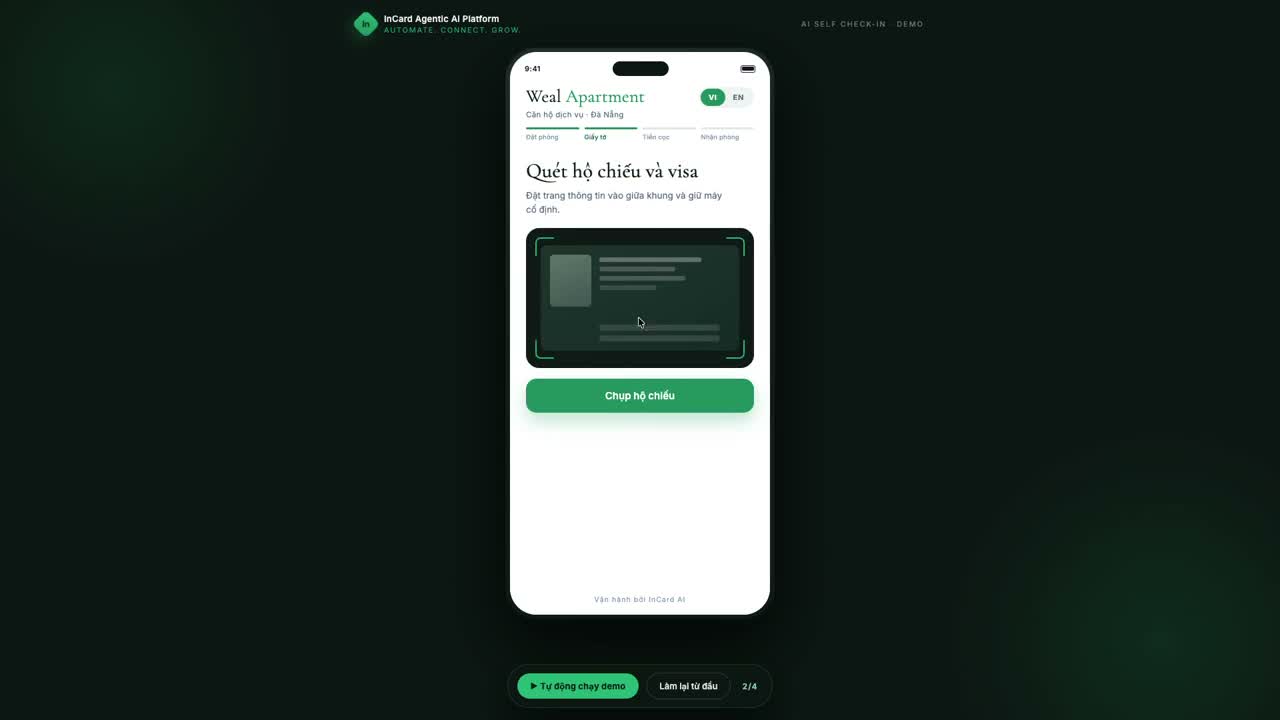
Weal Apartment – AI self check-in and an in-room AI assistant
International guests arriving on flight schedules, with no overnight front desk. The arrival flow runs on the guest's phone in four steps — booking lookup, passport and visa scan, VietQR deposit, lockbox code — and an AI assistant tied to their room handles everything after that, replying in the guest's own language.
Before you let an agent answer in place of reception.
What hotels usually want cleared up about room data, permissions, distribution channels and rollout.
No. The agent handles the repetitive work and the 24/7 cover — room rates, breakfast times, familiar requests. Reception focuses on the premium experience, difficult cases and decisions that need a person.
The agent covers the shift — reception keeps the decisions.
From the booking system, the channel manager or internal data sources the hotel allows it to connect to. The data scope and sync frequency are set during the technical review.
Only where the hotel has set explicit permissions and policy. Sensitive actions such as rates outside the card, comped services or upgrades should require an owner’s approval.
The aim is more direct bookings from the website, Zalo and chat channels, by answering fast and holding the conversation. How much actually shifts depends on your traffic per channel and your existing rate policy.
Both. A small property uses the agent for out-of-hours cover without hiring. A group configures rooms, rates and services per property while managing it centrally.
It depends on the number of channels, the quality of your room data and integration complexity. Start with one priority scenario — usually answering availability out of hours — and expand once it is stable.
Start with one specific guest scenario.
You do not have to replace the whole system.
A workshop to review your guest journey, pick the priority scenario and work out what data to prepare before integration is discussed.
Three inputs to get started